
// GAME GUIDE //
Zone Command
Free online RTS · 1v1 multiplayer or solo vs the bot · no download, no account
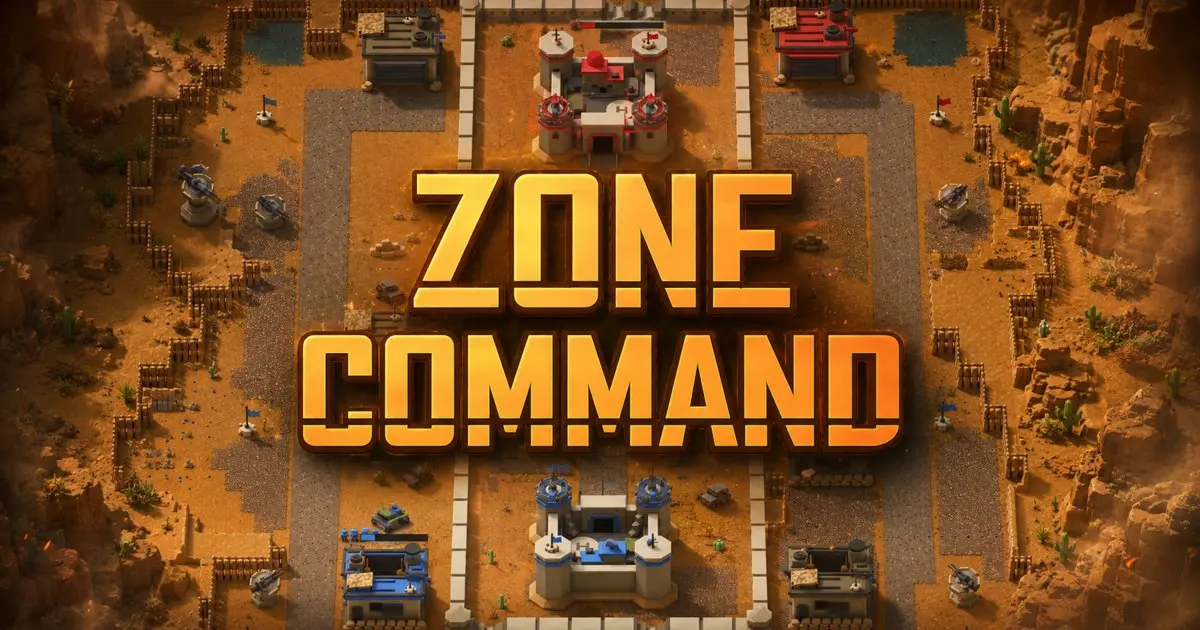
▶ Play Zone CommandZone Command is a free online RTS you play in your browser: capture sectors, let the factories you hold build your army, and out-produce one rival in a match that fits in a coffee break. It is not Zone Control and not a DOS emulation; if you remember Z by the Bitmap Brothers, this is that idea rebuilt for a browser, playable solo against the bot or head-to-head online with no download and no account.
What is Zone Command?
Zone Command is a real-time strategy game about territory. The map is a grid of sectors and every sector has a flag. Walk one of your operators onto that flag and the sector is yours immediately. There is no capture timer, and it makes no difference how many enemy troops stand nearby: what counts is who touched the pole last.
Sectors are not just a score. Every flag you hold makes every factory you own build faster, and most sectors contain a factory that starts producing for you the moment the flag flips. That is the whole loop: take ground, build more, take more ground. A typical win lands around seven or eight minutes.
The match ends at the enemy fort, and the fort is deliberately hard. Its sector has no flag to take. Two mounted gatlings guard it, firing ten times a second, and neither snipers nor grenades can touch them, so they have to be ground down with ordinary fire. Both guns must be destroyed before anyone can walk in, and entering while one still fires does nothing.
How to play
- Capture: send a squad onto a flag. Contact flips the sector, with no timer to wait out.
- Build: tap one of your own factories to open its production panel and choose what it builds next.
- Expand: every flag you hold cuts build times, so the third sector is what pays for the fifth.
- Assault: destroy both fort gatlings first, then move any single unit into the fort entrance.
- Defend: a factory belongs to whoever holds the flag in its sector, so a thin flank costs you production, not just map.
Controls
On desktop: left-drag draws a selection box, left-click selects, right-click orders the selection to move or attack, right-drag pans the camera, and the mouse wheel zooms on the point under the cursor. Ctrl with right-click forces an attack-move. The A key arms that same attack-move for your next click, Ctrl with 1 to 9 stores a control group, the bare digit recalls it, and the arrow keys scroll the map.
On touch: a one-finger drag always pans. Press and hold for about half a second, then drag, to box-select. Tap to select, tap again with a selection to give it an order, double-tap one of your own units to select every unit of that type, and pinch to zoom. Portrait and landscape both work.
Tips from the developers
- Every flag pays. Production scales linearly with territory: on the nine-sector desert map a rifle squad takes 54 seconds when you hold nothing and 27 when you hold everything. Each flag is worth 3 seconds off every build.
- Steal at the buzzer. Capturing a sector transfers its factory with the build timer still running. Take the flag just before an enemy squad finishes and it walks out for you.
- Build from the fort. Your fort is a production building too, and it works 20% faster than any factory you capture, so it is the best place to queue what you need next.
- Order the sprint. A unit sent to a flag or to an unmanned vehicle runs at 1.8 times its normal speed until its stamina drains, and roads pay on top of that: off-road movement is only 70% of road speed. Race for a contested flag with one direct order, not a chain of hops.
- Pull the wounded out. Hurt units limp: below 70% health they move at 90% speed, below 40% at 80%, and a badly damaged unit cannot sprint at all.
- Match the weapon. A sniper one-shots any unit and can shoot the driver out of a vehicle, but cannot damage buildings at all. A rocketeer is the mirror image: 1.5 times damage against armor, 0.3 against infantry.
- Watch the army cap. On a nine-sector map each side can field 15 infantry squads and 5 vehicles at once; at the cap your factories stall.
Under the hood
Zone Command runs a deterministic simulation at 20 ticks per second. In an online match both browsers run that same simulation locally and exchange orders rather than unit positions, which is why a 1v1 game stays playable on a mediocre connection: a few hundred bytes of commands per second is the entire conversation.
Determinism is a rule the code has to obey, not a hope. Nothing inside the simulation reads the system clock or an uncontrolled random source. The dice rolls combat needs, such as a rifle shot landing 70% of the time, come from a seeded generator that both machines advance in the same order, and each side hashes its own game state periodically so a divergence gets caught instead of quietly played out. We wrote up how the whole economy behind those decisions works in How Zone Command turns a map into a war economy.
FAQ
Is Zone Command free? Yes. It runs in your browser on BlitzBrawl, there is nothing to download or install, and there is no payment of any kind.
Do I need an account to play? No. You can play as a guest, and an anonymous device account is created for you so your progress is kept on that device. If you want the same progress on your phone and your laptop, add an email address and confirm it with a 6-digit code. There is no password.
Can I play against a friend online? Yes. Multiplayer is 1v1. Use quick match to be paired with whoever else is searching, or open a private lobby and invite a friend into it.
Does it work on my phone? Yes. The touch controls above are the primary control scheme rather than an afterthought, and the game runs in both portrait and landscape.
Is there a solo mode? Yes. Single player puts you against the bot on four battlefields (Desert Canyon, Frozen Kombat, Barren Standoff and Downtown Siege) at three difficulty tiers: Regular, Hardened and Veteran. There is no story campaign yet.